
Warning: always make a solid backup before you run any of the steps below.
Odoo ships several standard options for printing Zebra labels. You cannot change them in Studio, but you can adjust (a copy of) the standard report. That takes a basic grasp of the ZPL code behind Zebra labels - which, happily, is not complicated.
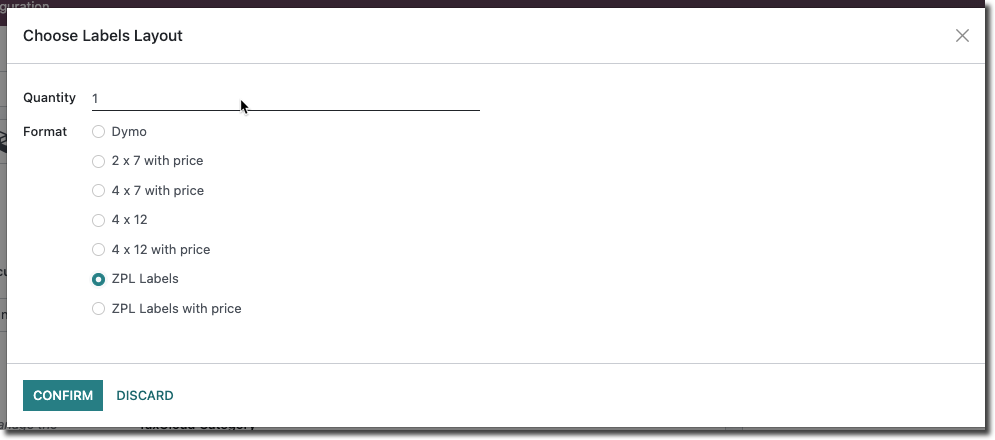
Adjusting the default settings
You adjust the default settings of this label through the Qweb tab of the underlying report.
Turn on Developer mode first. Then, from the home screen, type /reports to jump to all reports.
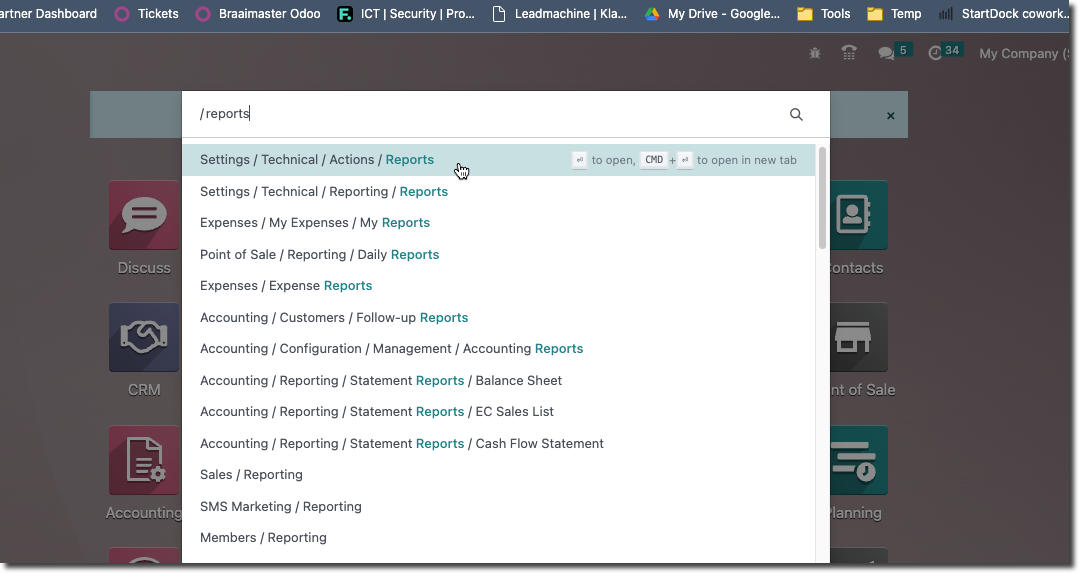
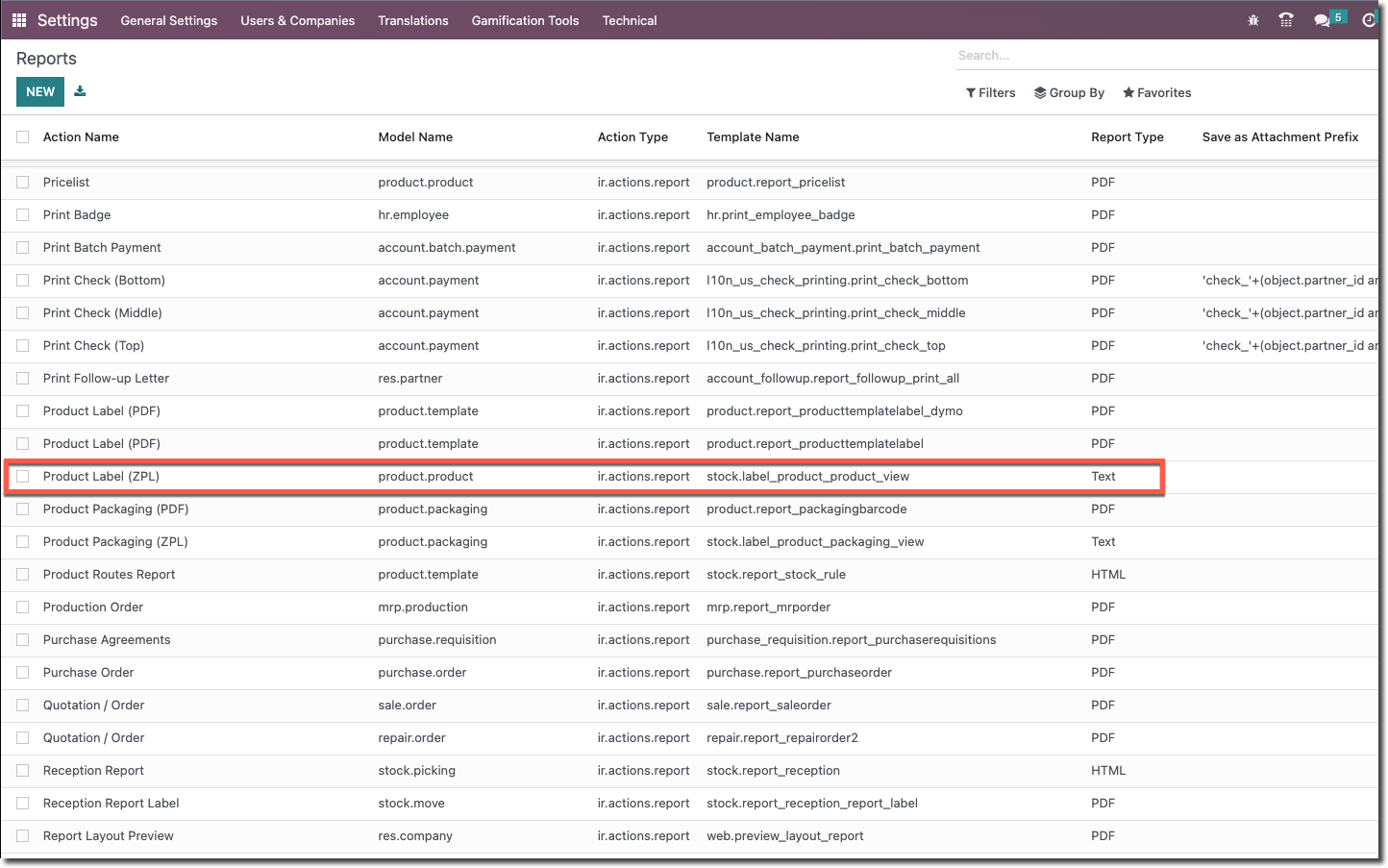
Choose Settings > Technical > Actions > Reports and select the report you want to edit, in this case Product Label (ZPL).
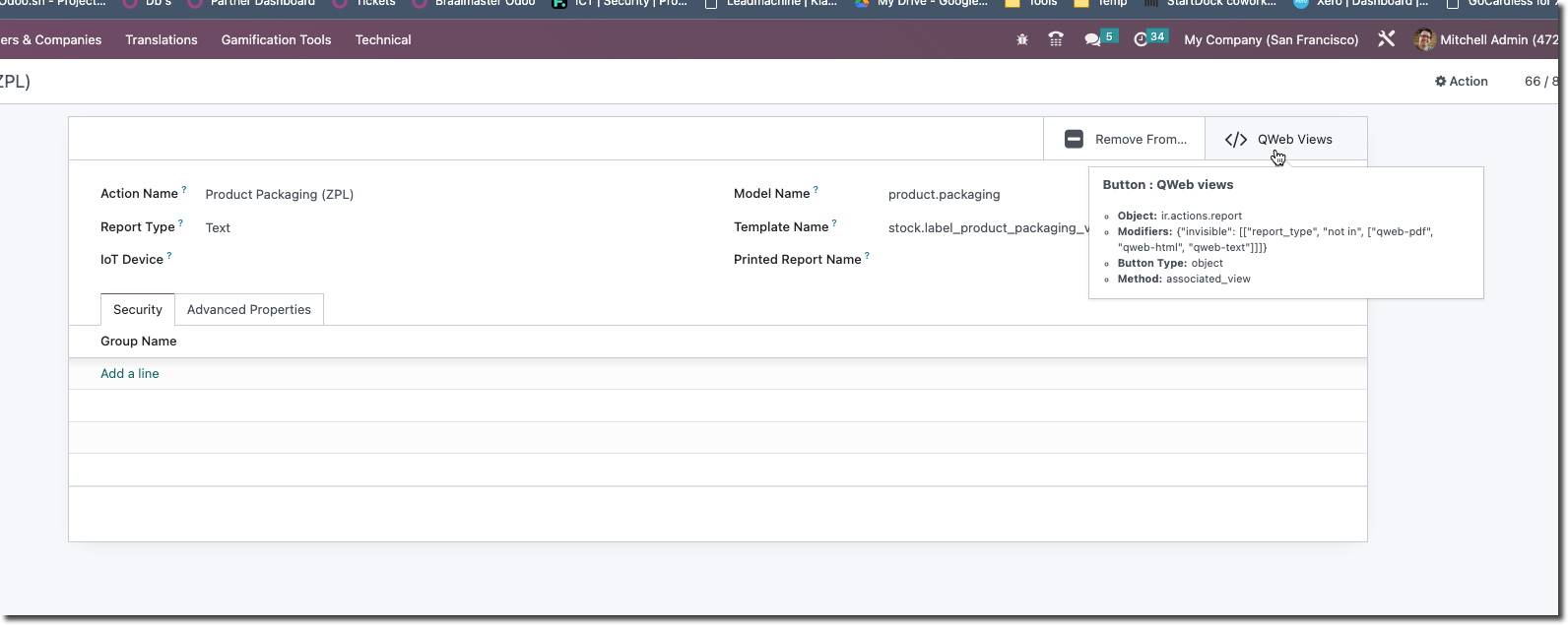
Top right you will find the link to the Qweb part of this report. This Qweb code controls the label layout.
The ZPL label code
Open that view and the Architecture tab shows the code tied to your current installation and module options. You can edit the code right here.
Note: changes to the standard layout will almost certainly be overwritten on the next update. So create an inherited view instead. That is beyond the scope of this article, but for testing it is handy to tweak the report quickly this way.
Good to know: you can comment out a line with a semicolon (;). Everything after a semicolon on a line counts as a comment and is ignored by the ZPL interpreter.
Make a backup of the current code too, so you can always return to the default.
The code you see might look like this:
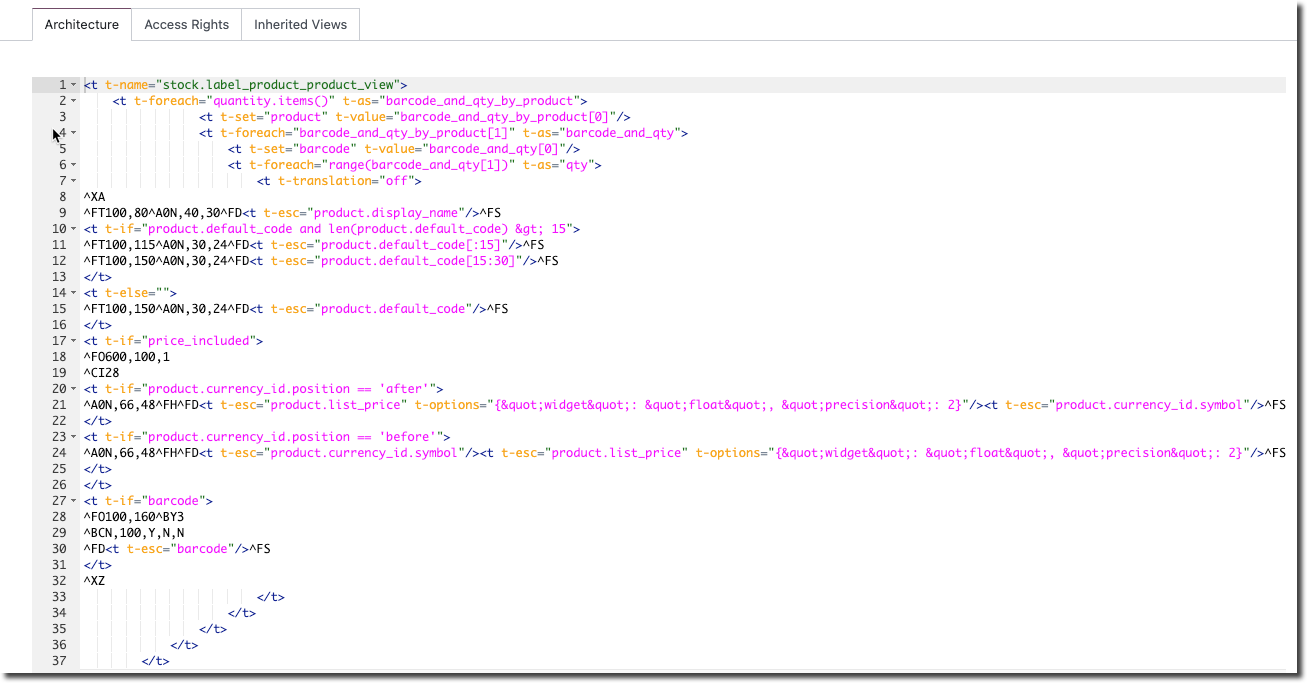
<t t-name="stock.label_product_product_view">
<t t-foreach="quantity.items()" t-as="barcode_and_qty_by_product">
<t t-set="product" t-value="barcode_and_qty_by_product[0]"/>
<t t-foreach="barcode_and_qty_by_product[1]" t-as="barcode_and_qty">
<t t-set="barcode" t-value="barcode_and_qty[0]"/>
<t t-foreach="range(barcode_and_qty[1])" t-as="qty">
<t t-translation="off">
^XA
^FT100,80^A0N,40,30^FD<t t-esc="product.display_name"/>^FS
<t t-if="product.default_code and len(product.default_code) > 15">
^FT100,115^A0N,30,24^FD<t t-esc="product.default_code[:15]"/>^FS
^FT100,150^A0N,30,24^FD<t t-esc="product.default_code[15:30]"/>^FS
</t>
<t t-else="">
^FT100,150^A0N,30,24^FD<t t-esc="product.default_code"/>^FS
</t>
<t t-if="price_included">
^FO600,100,1
^CI28
<t t-if="product.currency_id.position == 'after'">
^A0N,66,48^FH^FD<t t-esc="product.list_price" t-options="{"widget": "float", "precision": 2}"/><t t-esc="product.currency_id.symbol"/>^FS
</t>
<t t-if="product.currency_id.position == 'before'">
^A0N,66,48^FH^FD<t t-esc="product.currency_id.symbol"/><t t-esc="product.list_price" t-options="{"widget": "float", "precision": 2}"/>^FS
</t>
</t>
<t t-if="barcode">
^FO100,160^BY3
^BCN,100,Y,N,N
^FD<t t-esc="barcode"/>^FS
</t>
^XZ
</t>
</t>
</t>
</t>
</t>What the code does
This code prints labels for products with their barcodes and quantities. Line by line:
<t t-name="stock.label_product_product_view">: the name of the template for printing product labels.<t t-foreach="quantity.items()" t-as="barcode_and_qty_by_product">: loops through each item inquantityand assigns it tobarcode_and_qty_by_product, so the barcode and quantity per product can be printed.<t t-set="product" t-value="barcode_and_qty_by_product[0]"/>: setsproductto the first element, which represents the product.<t t-foreach="barcode_and_qty_by_product[1]" t-as="barcode_and_qty">: loops through the listbarcode_and_qty_by_product[1], allowing several barcodes and quantities for the same product.<t t-set="barcode" t-value="barcode_and_qty[0]"/>: setsbarcodeto the first element, which represents the barcode.<t t-foreach="range(barcode_and_qty[1])" t-as="qty">: loops through a range of numbers, with the count set by the second element, so the same barcode and quantity print multiple times.<t t-translation="off">: turns off translation for the label content, keeping the text unchanged.^XA: starts the ZPL commands.^FT100,80^A0N,40,30^FD<t t-esc="product.display_name"/>^FS: sets the position and font of the first line and prints the product display name.<t t-if="product.default_code and len(product.default_code) > 15">: checks whether the product has an internal reference longer than 15 characters.^FT100,115^A0N,30,24^FD<t t-esc="product.default_code[:15]"/>^FS: prints the first 15 characters of the internal reference.^FT100,150^A0N,30,24^FD<t t-esc="product.default_code[15:30]"/>^FS: prints the next characters of the internal reference.<t t-else="">: the alternative when the condition is false.^FT100,150^A0N,30,24^FD<t t-esc="product.default_code"/>^FS: prints the full internal reference.<t t-if="price_included">: checks whether the price is included.^FO600,100,1: sets the position of the price on the label.^CI28: sets the character encoding to UTF-8.<t t-if="product.currency_id.position == 'after'">: checks whether the currency symbol sits after the price.^A0N,66,48^FH^FD...^FS: prints the price and the currency symbol.<t t-if="product.currency_id.position == 'before'">: checks whether the currency symbol sits before the price.^A0N,66,48^FH^FD...^FS: prints the currency symbol and the price.<t t-if="barcode">: checks whether a barcode exists.^FO100,160^BY3: sets the position and barcode parameters.^BCN,100,Y,N,N: sets the barcode type and size.^FD<t t-esc="barcode"/>^FS: prints the barcode.^XZ: ends the ZPL commands.
The result is a label with the product name, internal reference, price, and barcode for each product.
Tip: let an AI assistant help
An AI assistant is great for tweaking a single part. Ask “How do I shrink the font and the barcode in the code below by 50%?” and you get the following.
The font size is set with ^A0N followed by the size parameters; halve those values to make the text smaller. The barcode size is set with ^BY3; lower it to, say, 2.5, 2, or 1.5 to shrink the barcode.
The adjusted code, with font and barcode both 50% smaller:
<t t-name="stock.label_product_product_view">
<t t-foreach="quantity.items()" t-as="barcode_and_qty_by_product">
<t t-set="product" t-value="barcode_and_qty_by_product[0]"/>
<t t-foreach="barcode_and_qty_by_product[1]" t-as="barcode_and_qty">
<t t-set="barcode" t-value="barcode_and_qty[0]"/>
<t t-foreach="range(barcode_and_qty[1])" t-as="qty">
<t t-translation="off">
^XA
^FT100,80^A0N,20,15^FD<t t-esc="product.display_name"/>^FS
<t t-if="product.default_code and len(product.default_code) > 15">
^FT100,115^A0N,15,12^FD<t t-esc="product.default_code[:15]"/>^FS
^FT100,150^A0N,15,12^FD<t t-esc="product.default_code[15:30]"/>^FS
</t>
<t t-else="">
^FT100,150^A0N,15,12^FD<t t-esc="product.default_code"/>^FS
</t>
<t t-if="price_included">
^FO600,100,1
^CI28
<t t-if="product.currency_id.position == 'after'">
^A0N,33,24^FH^FD<t t-esc="product.list_price" t-options="{"widget": "float", "precision": 2}"/><t t-esc="product.currency_id.symbol"/>^FS
</t>
<t t-if="product.currency_id.position == 'before'">
^A0N,33,24^FH^FD<t t-esc="product.currency_id.symbol"/><t t-esc="product.list_price" t-options="{"widget": "float", "precision": 2}"/>^FS
</t>
</t>
<t t-if="barcode">
^FO100,160^BY2
^BCN,50,Y,N,N
^FD<t t-esc="barcode"/>^FS
</t>
^XZ
</t>
</t>
</t>
</t>
</t>The font parameters are lowered (for example 20, 15, 15, 12) and the barcode parameters set to a smaller barcode (^BY2, ^BCN,50).
Need a hand with your Odoo labels?
Stuck customising a ZPL report? Book an Odoo scan or get in touch - we will take a look with you.