
Want every new product to get a consecutive number in the Internal Reference field (the product number)? By default Odoo leaves that field empty or relies on someone typing it in. With a number sequence and a small automated action, you let Odoo do the work.
You need three things for this:
- Set the Internal Reference field to Read Only, so nobody overwrites it by hand.
- Create a number sequence with its own code and prefix.
- Create an automated action with a Python expression that fetches the next free number from the sequence on creation.
Creating the sequence
Go to the sequence settings (Settings, Technical, Sequences & Identifiers, Sequences) and create a new sequence. Give it a clear name and its own sequence code - you will reference that code in the automated action. Set the prefix, the sequence size (number of digits) and the step.
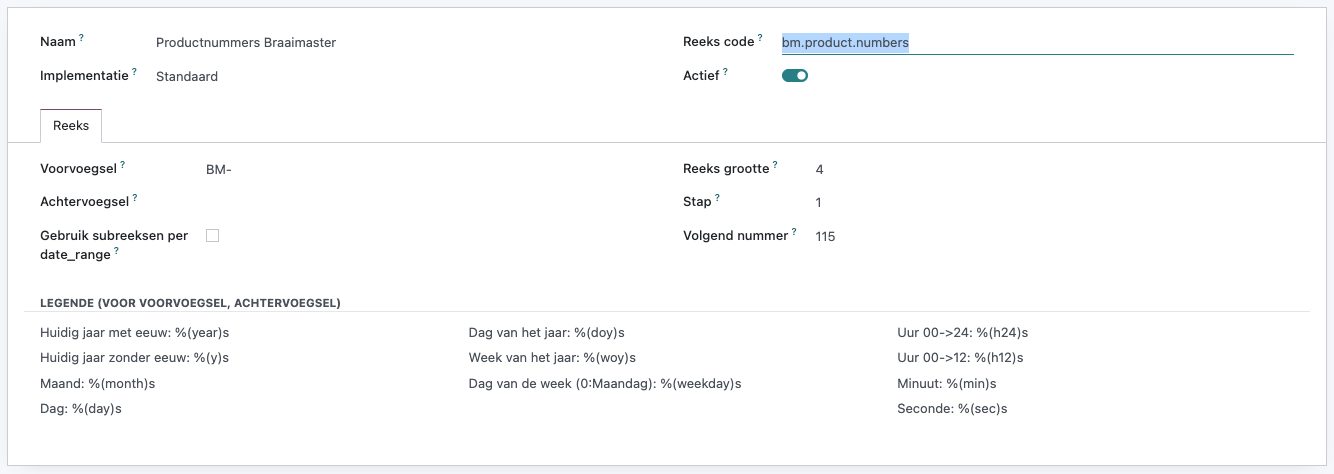
In this example the sequence code is bm.product.numbers, with prefix BM- and a sequence size of 4 digits. The next number is then, for example, BM-0115.
Wiring up the automated action
Next, create an automated action on the Product model. Set the trigger to On Creation so the action fires the moment a new product is created. Choose Update the Record as the action and give the Internal Reference field a Python expression that pulls the next number from the sequence.
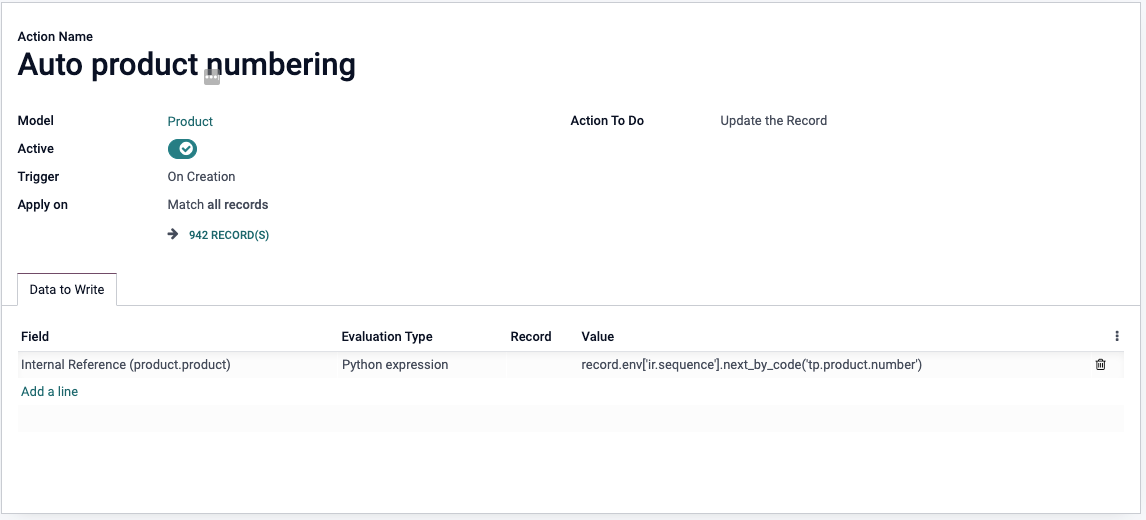
Use this expression and replace the sequence code with your own:
record.env['ir.sequence'].next_by_code('tp.product.number')From now on, every new product automatically gets the next free number in the Internal Reference field.
Need a hand with your Odoo setup?
Want this set up cleanly, or stuck on your own numbering logic? Book an Odoo scan or get in touch - we will take a look with you.