
An import file lets you load journal entries into Odoo. Handy, for example, to load a complex recurring payroll journal entry in one go instead of posting it line by line.
Download: Journal entries import template (XLSX)
How to structure the file
Make sure columns A through C are filled on a single row. That is the only way Odoo recognises that the lines belong to one journal entry. You import records per journal.
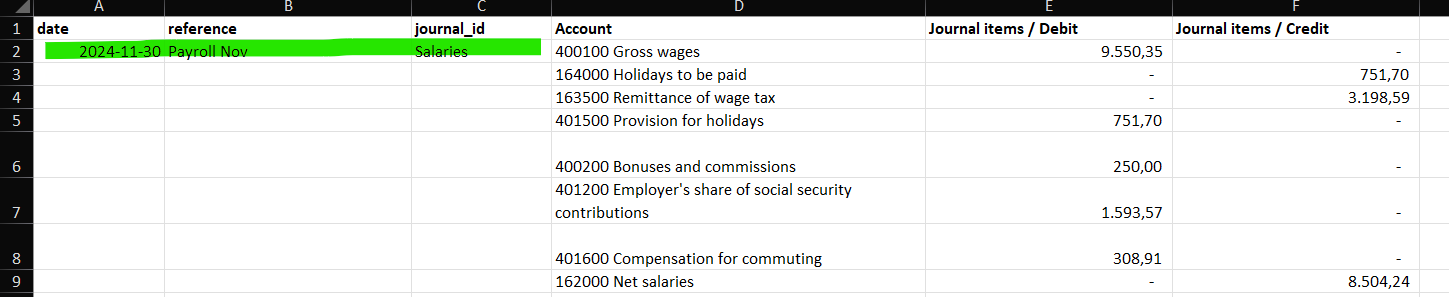
An example import file (Import journaalpost.xlsx) accompanies this article and shows the correct column layout.
Stuck on the import? Book an Odoo scan or get in touch.