
Odoo calculates shipping costs with shipping rules. You can build these in two ways:
- Fixed amount - a flat fee per shipment, optionally free for orders above a certain value.
- Based on a formula - where the cost scales with the shipment itself.
What can the formula be based on?
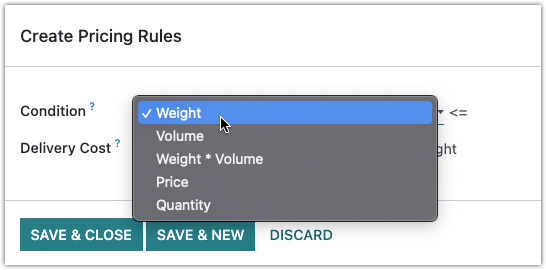
A formula rule works out the shipping cost from a condition. Odoo offers five options:
| Condition | Calculated on |
|---|---|
| Weight | Weight |
| Volume | Volume |
| Weight * Volume | Volumetric weight |
| Price | Price |
| Quantity | Quantity |
For each rule you set the condition and the matching delivery cost:
Turning the option on
To work with these pricing rules, first enable the option under Settings > Shipping Methods. After that you can configure the rules per shipping method.
Going further
This short video explains how the shipping methods work in practice: Delivery costs in Odoo.
Need a hand with your setup?
Want to get your shipping methods right the first time? Book an Odoo scan or get in touch - we will take a look with you.