
To import images into Odoo, they need to be reachable through a URL. That can be online or, when Odoo runs on your own machine, through a local path. Here are three approaches.
Online with postimg.cc
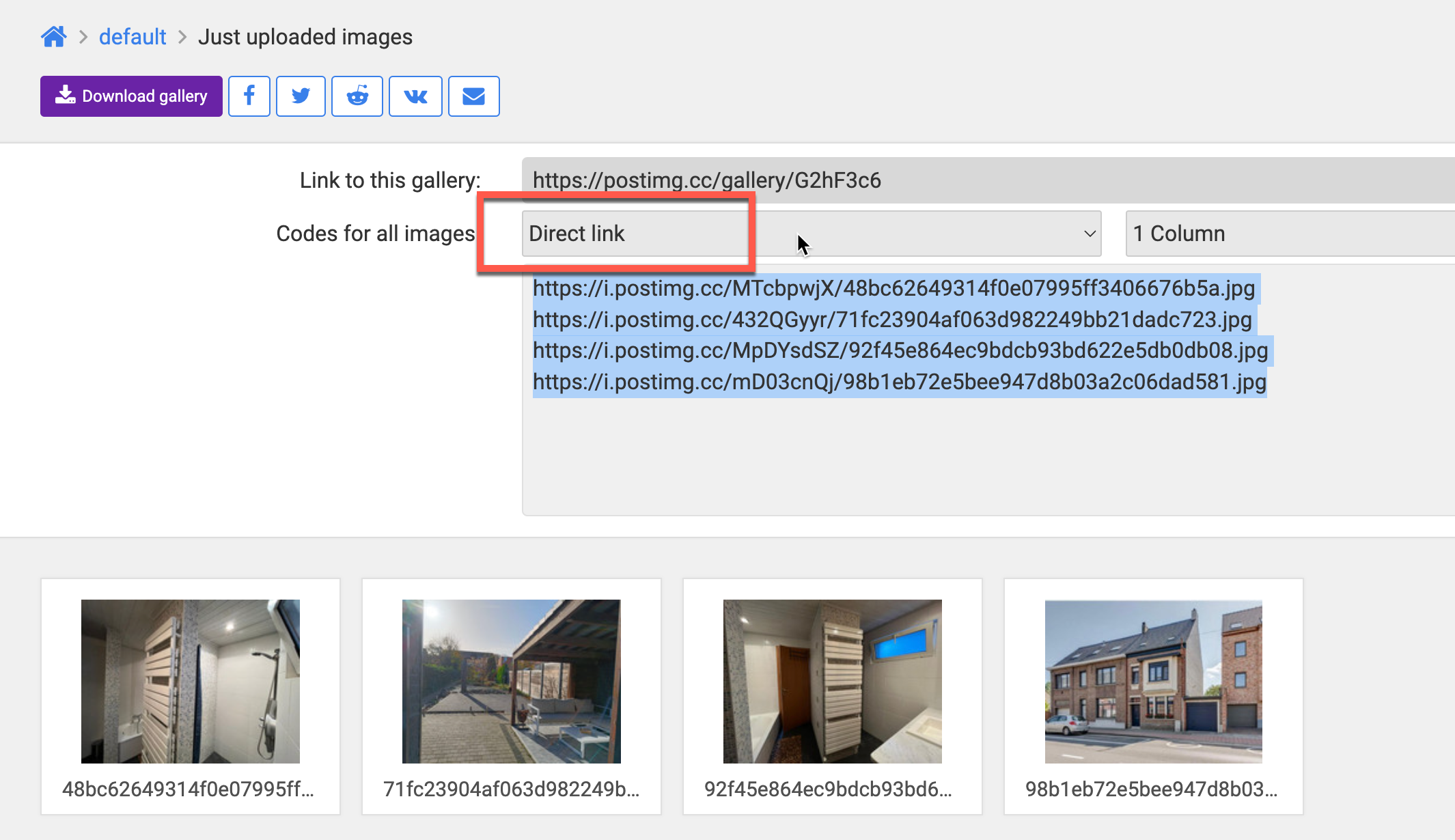
postimg.cc is the most reliable option. You upload all images and copy the direct link for each one. We have tested this method with up to 1000 images per import.
- Create an account.
- Upload the files in the order of your import file.
- After uploading, click Direct link (see the image below).
- Copy and paste the values into the right rows of your import file.
Online with Google Drive
Put all images you want to import into a single Google Drive folder. The downside: Google times out after roughly 40 to 50 images, so it is less suited to large uploads, where you have to split the import into batches.
After uploading, find an add-on that turns the images into a URL, for example ‘Photo gallery by awesome table’. In the final URL, replace the file/d part with uc?id=. The images are then ready to import.
Locally on your own server
If you run Odoo locally, you can read the images straight from a local path. This only works when you can restore an Odoo backup, for example in Odoo.sh. On your own server this is the recommended method.
Need a hand with your import?
Stuck importing your product images? Book an Odoo scan or get in touch - we will take a look with you.